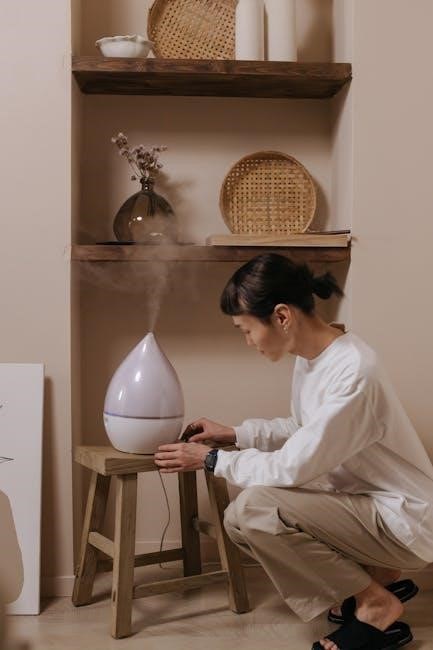
AirCare humidifiers enhance indoor environments by adding essential moisture, combating dry air caused by heating systems and sealed homes. These console-style evaporative humidifiers,
like the Digital Whole-House model, utilize saturated wick filters to distribute invisible moisture throughout your living space, promoting healthier air quality;
What is an AirCare Humidifier?
AirCare humidifiers represent a line of evaporative humidifiers designed to increase moisture levels in indoor spaces, particularly during dry winter months. Unlike other types, AirCare models move dry air through a saturated wick filter, releasing invisible moisture.
These humidifiers come in various styles, including console models capable of covering large areas up to 3,000 square feet, such as the Digital Whole-House Console-Style Evaporative Humidifier. Popular models include the Alliance series (Oak Burl, Copper Night) and the Altus humidifier. They feature extended runtimes, multiple fan speeds, and convenient indicators for refilling and filter replacement, making them a customer favorite.
Benefits of Using an AirCare Humidifier
Employing an AirCare humidifier offers numerous advantages for your health and home environment. By combating dry air, these units alleviate discomforts like dry skin, irritated sinuses, and chapped lips. Increased humidity can also reduce static electricity and protect wooden furniture.
AirCare humidifiers, particularly console models, are effective for large spaces, providing consistent moisture distribution. Features like adjustable humidistats and multiple fan speeds allow for personalized comfort. Furthermore, maintaining optimal humidity levels can contribute to improved sleep quality and overall well-being, creating a more comfortable and healthier living space.

Understanding Your AirCare Humidifier Model
AirCare offers diverse models like Alliance (Oak Burl, Copper Night) and Altus. Identifying your specific model (EA1407, HD1409, etc.) is crucial for proper operation and maintenance.
Identifying Your Specific Model (EA1407, HD1409, etc.)
Determining your AirCare humidifier’s exact model number is the first step towards accessing the correct resources and support. Look for a label typically located on the back or bottom of the unit. Common models include EA1407 and HD1409, but variations like the Alliance and Altus series also exist.
This model number is essential when consulting the comprehensive user manual, ordering replacement parts – such as Funmit 1043 wick filters (compatible with EP9500, EP9700 series) – or contacting customer service. Accurate identification ensures you receive tailored guidance for your specific AirCare humidifier.
Key Components of AirCare Humidifiers
AirCare humidifiers feature several key components working in harmony to deliver optimal humidity. The water tank holds the water supply, while the fan distributes air through the saturated wick filter. This filter is crucial, absorbing water and releasing moisture into the air.
Many models, like the Digital Whole-House Console, include a humidistat for precise humidity control, and indicators to signal when to refill the water tank or replace the filter. Casters facilitate easy movement, and some units boast multiple fan speeds for customized comfort.
Setting Up Your AirCare Humidifier
Proper setup is vital for optimal performance. Begin by carefully selecting a placement location, then fill the water tank and securely install a fresh wick filter.
Initial Setup and Placement
Choosing the right location is crucial for effective humidification. Place your AirCare humidifier on a level surface, ensuring ample space around it for proper airflow. Avoid positioning it directly near furniture or walls, as this can restrict circulation and potentially lead to moisture buildup.
Casters facilitate easy movement, even when the tank is full. Consider proximity to a power outlet, but prioritize a central location within the area you intend to humidify. For larger spaces, strategic placement can maximize coverage, ensuring even distribution of moisture throughout the room or entire house.
Filling the Water Tank
Proper water management is essential for optimal performance. Before filling, always ensure the humidifier is powered off. Locate the water tank, typically removable for convenient filling. Use cool, clean water – distilled or demineralized water is recommended to minimize mineral buildup and prolong the humidifier’s lifespan.
Fill the tank to the indicated maximum fill line, avoiding overfilling. Securely replace the tank onto the humidifier base, ensuring a tight seal to prevent leaks. Regularly check the water level and refill as needed, especially during periods of continuous operation, to maintain consistent humidity.
Installing the Wick Filter
The wick filter is crucial for effective humidification. Locate the filter compartment within your AirCare humidifier. Remove any existing filter before installing a new one; Carefully insert the new wick filter, ensuring it fits snugly within the compartment and makes full contact with the water reservoir.
Proper filter installation maximizes moisture absorption and distribution. Compatible filters, like the Funmit 1043 (for EP9500, EP9700 models), ensure optimal performance. Regularly check the filter for mineral buildup and replace it according to the manufacturer’s recommendations for continued efficiency.
Operating Your AirCare Humidifier
AirCare humidifiers feature simple operation with power controls, adjustable fan speeds, and a humidistat for precise humidity level management, ensuring optimal comfort.
Powering On and Off
AirCare humidifiers are designed for straightforward operation. To power on your unit, simply plug the humidifier into a grounded electrical outlet. Most models do not feature a dedicated power switch; plugging in activates the humidifier.
To turn the humidifier off, unplug it from the outlet. Never pull the cord itself; grasp the plug firmly. Ensure your hands are dry before handling the power cord to prevent electrical shock. Some advanced models may have a digital display that indicates the power status. Always disconnect the humidifier before performing any maintenance or cleaning procedures for safety.
Adjusting Fan Speeds
AirCare humidifiers typically offer multiple fan speed settings to customize humidity output. These settings are often controlled via buttons or a digital interface on the unit’s console. Lower fan speeds provide quieter operation and are suitable for smaller spaces or lower humidity needs.
Higher fan speeds deliver increased moisture output, ideal for larger areas or when rapid humidification is desired. Experiment with different speeds to find the optimal balance between noise level and humidity control. The selected fan speed impacts the humidifier’s runtime and energy consumption.
Using the Humidistat
AirCare humidifiers feature a humidistat, allowing precise humidity level control. This function enables you to set a desired humidity percentage, and the humidifier will automatically adjust its output to maintain that level. Digital models display the current humidity and the setpoint.
Adjusting the humidistat ensures optimal comfort and prevents over-humidification, which can lead to condensation. A recommended humidity range is between 30-50%. Regularly monitor the humidity level and adjust the humidistat accordingly to maintain a healthy indoor environment.

Maintenance and Cleaning
AirCare humidifiers require regular cleaning and filter replacement for optimal performance. A consistent schedule ensures clean, healthy moisture and extends the humidifier’s lifespan.
Regular Cleaning Schedule
Maintaining your AirCare humidifier involves a consistent cleaning routine to prevent mineral buildup and microbial growth. Weekly, empty and thoroughly clean the water tank with a mild cleanser, rinsing completely.
Every two weeks, inspect and clean the humidifier’s base and exterior surfaces. Crucially, the wick filter requires regular attention; replace it according to the manufacturer’s recommendations, typically every 1-3 months, depending on water hardness and usage.
Using distilled water minimizes mineral deposits, reducing cleaning frequency. A clean humidifier ensures efficient operation and delivers the healthiest possible air moisture.
Cleaning the Water Tank
To effectively clean your AirCare humidifier’s water tank, begin by disconnecting the unit from power. Empty any remaining water and remove the tank. Use a mild detergent and warm water to gently scrub the interior surfaces, paying attention to corners and areas prone to buildup.
Rinse the tank thoroughly, ensuring no soap residue remains. For stubborn mineral deposits, a solution of white vinegar and water can be used, followed by a comprehensive rinse. Allow the tank to air dry completely before reassembling and using the humidifier.
Replacing the Wick Filter
Regular wick filter replacement is crucial for maintaining optimal AirCare humidifier performance. Locate the filter access panel and remove the old wick filter. Ensure the new filter, such as the Funmit 1043 compatible with models EP9500, EP9700, is correctly oriented before installation.
Properly seating the filter ensures efficient moisture distribution. Replace the access panel securely. A clean filter prevents mold and bacteria growth, delivering healthier, purified air. Consult your model’s manual for specific filter replacement intervals, typically every 3-6 months, depending on usage.
Filter Replacement – Funmit 1043 Compatibility (EP9500, EP9700, etc.)
The Funmit 1043 Super Humidifier Wick Filter is a popular replacement option, offering compatibility with numerous AirCare models including EP9500, EP9700, EP9800, EP9R500, and EP9R800. This 3-pack provides extended filter life, ensuring consistent humidity control. Before installation, verify your specific model number for accurate fit.
These filters effectively capture impurities, contributing to cleaner, healthier air. Proper installation involves removing the old filter and securely placing the new Funmit 1043, ensuring a tight seal. Regular replacement, typically every 3-6 months, maximizes humidifier efficiency and air quality.
Troubleshooting Common Issues
If your AirCare humidifier isn’t functioning, check the power connection, humidity settings, and filter status. Unusual noises may indicate filter or component issues.
Humidifier Not Turning On
If your AirCare humidifier fails to power on, begin by verifying the power cord is securely plugged into a functioning electrical outlet. Confirm the outlet itself is receiving power by testing it with another device. Next, inspect the humidifier’s power button to ensure it’s fully engaged.
Some models feature a reset button or a power switch located on the back; check these as well. If the issue persists, consult the user manual for specific troubleshooting steps related to your model (EA1407, HD1409, etc.). A blown fuse or internal electrical problem may require professional assistance.
Low Humidity Output
If your AirCare humidifier isn’t producing sufficient moisture, the wick filter is the primary suspect. A dirty or clogged filter restricts airflow and reduces evaporation. Ensure the filter is correctly installed and hasn’t exceeded its lifespan – regular replacement is crucial.
Also, verify the fan speed is set appropriately; higher speeds generally yield greater output. Confirm the water tank is adequately filled and the humidistat isn’t set to a very low humidity level. Consider using a Funmit 1043 compatible filter (EP9500, EP9700) for optimal performance.
Unusual Noises
If your AirCare humidifier is making strange sounds, first ensure it’s placed on a level surface to prevent rattling. A low water level can cause gurgling or splashing noises; refill the tank immediately. Inspect the fan for obstructions – dust or debris can create whirring or clicking sounds.
Verify the wick filter is properly seated; a loose filter can vibrate. If noises persist, consult the user manual for model-specific troubleshooting. Consistent, loud noises may indicate a mechanical issue requiring professional attention.
Safety Precautions
Always disconnect the humidifier before cleaning and use only clean water. Avoid electrical hazards and ensure proper ventilation for optimal, safe operation.
Electrical Safety
To ensure safe operation, always verify the humidifier’s voltage matches your household power supply. Never operate with a damaged cord or plug; immediate replacement is crucial. Avoid using extension cords, and if absolutely necessary, choose a heavy-duty cord rated for the humidifier’s wattage.
Do not insert any object into the humidifier’s vents. Keep the unit away from water sources and avoid operating in damp environments to prevent electrical shock. Always unplug the humidifier before cleaning, filling, or changing the wick filter. Regularly inspect the power cord for any signs of damage or wear, and discontinue use if issues are detected.
Water Quality Considerations
Utilizing distilled or demineralized water is strongly recommended for optimal performance and longevity of your AirCare humidifier. Tap water often contains minerals that can create scale buildup within the tank and on the wick filter, reducing efficiency and potentially causing damage.
Regular cleaning, even with purified water, is still essential. Avoid using water treated with softening salts, as these can also contribute to residue buildup. If tap water must be used, frequent cleaning—perhaps even daily—is necessary to prevent mineral deposits and maintain air quality.
AirCare Humidifier Models Overview
AirCare offers diverse models like the Alliance (Oak Burl, Copper Night) and Altus, alongside the Digital Whole-House Console, catering to various space sizes and aesthetic preferences.
AirCare Alliance Humidifier (Oak Burl, Copper Night)
The AirCare Alliance Humidifier presents a stylish solution for whole-house humidification, available in attractive Oak Burl and Copper Night finishes. This console-style evaporative humidifier is designed to effectively add moisture to dry indoor air, improving comfort and health.
Its design blends seamlessly into home décor while providing substantial coverage. The Alliance model utilizes a saturated wick filter system, quietly drawing in dry air and releasing invisible moisture. Regular maintenance, including filter replacement, ensures optimal performance. This model is a popular choice for those seeking both functionality and aesthetic appeal in a humidifier.
AirCare Altus Humidifier
The AirCare Altus Humidifier represents a streamlined approach to whole-house humidification, offering effective moisture distribution in a compact design. While specific details are less readily available than for other models, the Altus likely employs the signature AirCare evaporative technology, utilizing a saturated wick filter to add invisible moisture to the air.
This model is designed to combat the drying effects of heating systems, promoting a more comfortable and healthier indoor environment. As with all AirCare humidifiers, regular cleaning and filter replacement are crucial for maintaining optimal performance and air quality.
AirCare Digital Whole-House Console-Style Evaporative Humidifier
The AirCare Digital Whole-House Console-Style Evaporative Humidifier, finished in Matte Grey, is engineered for extensive coverage, reaching up to 3,000 square feet. This model features a large water reservoir and extended runtime, minimizing the need for frequent refills – a customer-favored attribute. Convenient casters facilitate easy movement, even when full.
Additional features include three adjustable fan speeds, a precise humidistat for customized humidity control, and helpful indicators for both water refills and filter checks. Like all AirCare units, it operates by moving dry air through a saturated wick filter, adding invisible moisture.

AirCare Humidifiers and Indoor Air Quality
AirCare humidifiers address the impact of dry air, common in winter due to heating, and help mitigate indoor pollution, fostering a healthier and more comfortable home environment.
Impact of Dry Air on Health
Dry air significantly impacts health, exacerbating respiratory issues and causing discomfort. As homes become sealed against cold weather, and heating systems operate, indoor air loses vital moisture.
This dryness can lead to irritated sinuses, dry skin, and increased susceptibility to colds and flu. The lack of humidity also affects the mucous membranes, reducing their ability to trap viruses and bacteria.
Furthermore, dry air can worsen asthma symptoms and trigger allergies. AirCare humidifiers counteract these effects by restoring optimal humidity levels, promoting healthier respiratory function and overall well-being, especially during winter months.
AirCare Humidifiers vs. Air Purifiers
AirCare humidifiers and air purifiers address distinct indoor air quality concerns. Humidifiers, like the Alliance and Altus models, add moisture to combat dryness, alleviating respiratory issues and improving skin health. They don’t remove pollutants.
Air purifiers, conversely, focus on eliminating airborne particles like dust, pollen, and allergens. While both contribute to a healthier home, they function differently.
Often, combining both is ideal – a humidifier to maintain optimal moisture and an air purifier to remove contaminants. This synergistic approach creates a more comfortable and breathable indoor environment, maximizing overall air quality benefits.

Featured AirCare Humidifier Brands
AirCare collaborates with brands like LEVOIT, DREO, Homedics, Honeywell, and BLUEAIR, offering compatible filters and accessories to enhance humidifier performance and longevity.
LEVOIT Compatibility
While AirCare doesn’t directly manufacture LEVOIT humidifiers, users often seek compatible filter options for their evaporative models. Finding the correct replacement wick filter is crucial for maintaining optimal performance and air quality. Though not a direct partnership, some consumers explore utilizing filters designed for similar evaporative systems.
It’s important to carefully verify filter dimensions and material compatibility before attempting to use a LEVOIT filter with an AirCare unit. Incorrect filters can reduce humidity output or even damage the humidifier. Always prioritize filters specifically designed for your AirCare model whenever possible, ensuring a proper fit and effective operation.
DREO Compatibility
Similar to LEVOIT, AirCare doesn’t have a direct manufacturing relationship with DREO humidifiers. However, the search for compatible replacement filters sometimes leads consumers to explore options beyond brand-specific parts. Maintaining consistent humidity levels relies heavily on using the correct wick filter designed for evaporative humidifiers.
When considering a DREO filter for an AirCare unit, meticulous attention to filter size and material is essential. Using an incompatible filter could compromise the humidifier’s efficiency and potentially cause malfunctions. Prioritizing filters specifically engineered for your AirCare model guarantees optimal performance and sustained air quality.
Homedics Compatibility
AirCare humidifiers operate on a distinct evaporative technology, and direct compatibility with Homedics humidifier filters isn’t generally established. While both brands address indoor air quality, their filter designs and specifications differ significantly. Attempting to use a Homedics filter within an AirCare unit could lead to reduced performance or even damage to the device.
Maintaining optimal functionality requires utilizing filters specifically designed for AirCare models. These filters, like the Funmit 1043, ensure proper moisture distribution and air purification. Prioritizing compatible parts safeguards your investment and guarantees consistent, healthy indoor air quality throughout the season.
Honeywell Compatibility
AirCare humidifiers utilize unique evaporative technology, and direct filter compatibility with Honeywell humidifiers is not typically available. While both brands aim to improve indoor air quality, their filter construction and sizing are distinct. Using a Honeywell filter in an AirCare unit may compromise performance and potentially cause operational issues.
To ensure optimal performance and longevity of your AirCare humidifier, always use filters specifically designed for your model, such as the Funmit 1043 for EP9500/EP9700 series. This guarantees efficient moisture distribution and maintains the unit’s intended functionality, delivering consistently healthy and comfortable air.
BLUEAIR Compatibility
AirCare humidifiers and BLUEAIR air purifiers address different aspects of indoor air quality; therefore, direct compatibility between their components doesn’t exist. BLUEAIR specializes in filtration, removing pollutants, while AirCare focuses on adding humidity to combat dryness. Attempting to use BLUEAIR filters within an AirCare unit is not recommended and could damage the humidifier.
Maintaining optimal performance requires using AirCare-specific filters like the Funmit 1043 (EP9500, EP9700 series). These filters are engineered to work seamlessly with AirCare’s evaporative system, ensuring efficient moisture output and a healthier indoor climate. Prioritize designated filter usage for longevity.
No Responses