
Nikon D500: A Comprehensive Manual Overview (Updated 12/13/2025)
This comprehensive manual details Nikon’s flagship APS-C DSLR, the D500, boasting 153-point AF and an EXPEED 5 processor.
It’s a powerful tool for enthusiasts and professionals alike.
The Nikon D500, announced in early 2017, quickly established itself as a remarkable achievement in APS-C (DX format) camera technology. Rarely does a crop-sensor system deliver performance comparable to a full-frame flagship, yet the D500 accomplishes this feat. This manual serves as a detailed guide to unlocking the camera’s full potential, catering to both seasoned Nikon users and those new to the brand.

Initially, the D500 drew comparisons to its full-frame counterpart, the D5, sharing many advanced features. Nikon strategically incorporated elements from the D5 into the D500, making high-end capabilities accessible at a more approachable price point. The D7500, a later release, further borrowed specifications from the D500, highlighting the D500’s influence on Nikon’s product line. This manual will explore the D500’s core functionalities, controls, and advanced settings, providing a thorough understanding of its capabilities for sports, wildlife, and general photography.
Key Features and Specifications
The Nikon D500 boasts a compelling array of features, starting with its 20.9-megapixel APS-C CMOS sensor and the powerful EXPEED 5 image processor. This combination delivers exceptional image quality and speed. A standout feature is the advanced 153-point autofocus (AF) system, inherited from the flagship D5, ensuring precise and reliable subject tracking.
The camera offers 4K UHD video recording capabilities, catering to videographers. Its tilting 3.2-inch LCD screen and optical viewfinder provide versatile shooting options. Connectivity is facilitated through built-in Wi-Fi and Bluetooth, enabling seamless image transfer and remote control. The D500’s robust build quality and extensive customization options further enhance its appeal. Battery life is impressive, allowing for extended shooting sessions. Key specifications include a native ISO range of 100-51200 (expandable to 50-204800), and continuous shooting at up to 10 fps.
Nikon D500 vs. D7500: A Comparison
While both the Nikon D500 and D7500 are high-end APS-C DSLRs, the D500 occupies the flagship position. The D7500 borrows heavily from the D500’s specification sheet, offering a compelling alternative at a lower price point. However, the D500 distinguishes itself with its more robust build quality and advanced features.
The D500’s 153-point AF system surpasses the D7500’s 51-point system, providing superior subject tracking, particularly beneficial for sports and wildlife photography. The D500 also offers a slightly larger buffer capacity for continuous shooting. While both cameras share the EXPEED 5 processor, the D500’s overall performance is noticeably faster. The D7500 represents excellent value, but the D500 delivers a more professional experience, justifying its higher cost for demanding photographers seeking top-tier performance.
The D500 as a Flagship APS-C DSLR
The Nikon D500 boldly claims the title of flagship APS-C DSLR, a distinction rarely achieved by crop-sensor cameras. It successfully integrates features typically reserved for Nikon’s full-frame professional bodies, like the D5, into a more compact and affordable package. This positions the D500 as a powerful tool for photographers who desire high performance without the expense or weight of a full-frame system.
Its 20.9MP sensor, coupled with the EXPEED 5 image processor and a remarkable 153-point autofocus system, delivers exceptional image quality and speed. Nikon’s commitment to equipping the D500 with these advanced capabilities solidifies its status as a top-tier option, appealing to professionals and serious enthusiasts alike. It’s a testament to Nikon’s innovation within the APS-C format.
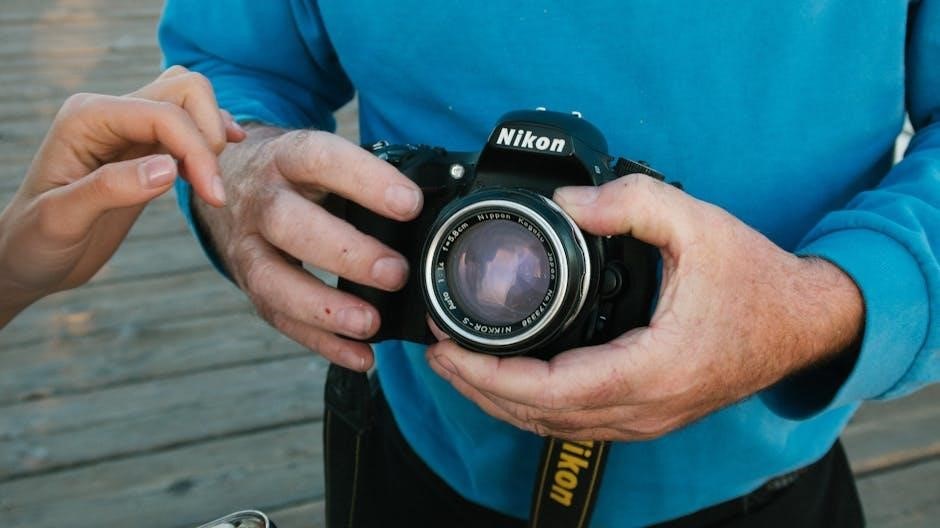
Understanding the D500’s Core Functionality
Delve into the D500’s heart: a 20.9MP sensor, EXPEED 5 processor, and a sophisticated 153-point autofocus system, enabling exceptional performance and image quality.
Sensor and Image Processor (20.9MP, EXPEED 5)
The Nikon D500 features a newly developed 20.9-megapixel APS-C CMOS sensor, delivering an exceptional balance between resolution and high-ISO performance. This sensor, combined with Nikon’s powerful EXPEED 5 image processor, enables remarkably fast processing speeds and enhanced image clarity. The EXPEED 5 isn’t just about speed; it significantly contributes to superior noise reduction, particularly at higher ISO settings, resulting in cleaner images even in challenging lighting conditions.
This pairing allows for continuous shooting at up to 10 frames per second (fps), expandable to 11 fps with the optional battery grip and EN-EL18b battery. The sensor’s design minimizes moiré and false color, ensuring accurate color reproduction and fine detail. Furthermore, the EXPEED 5 processor facilitates advanced features like 4K UHD video recording and enhanced autofocus capabilities, making the D500 a versatile tool for both stills and video work. It truly represents a leap forward in APS-C sensor technology.
Autofocus System: 153-Point AF
The Nikon D500 boasts an incredibly advanced autofocus (AF) system, featuring 153 focus points – a number typically reserved for Nikon’s flagship full-frame cameras. Of these, 99 are cross-type sensors, significantly enhancing accuracy and tracking performance across a wide area of the frame. This extensive AF coverage ensures subjects remain sharp, even during fast-paced action.
The AF system operates effectively down to an impressive -4 EV, enabling reliable focusing in extremely low-light conditions. Advanced subject tracking capabilities, inherited from the D5, allow the D500 to lock onto and follow moving subjects with remarkable tenacity. Customization is key; users can tailor AF settings to suit specific shooting scenarios, adjusting sensitivity, tracking, and focus area modes. This sophisticated AF system is a cornerstone of the D500’s performance, particularly for sports and wildlife photography.
ISO Performance and Image Quality
The Nikon D500’s 20.9-megapixel APS-C sensor, coupled with the EXPEED 5 image processor, delivers exceptional image quality across a broad ISO range of 100-51200, expandable to 50-204800. This allows for clean, detailed images even in challenging lighting conditions. Nikon Japan showcased sample images demonstrating impressive clarity at higher ISO settings.
The camera excels in minimizing noise, preserving fine details and vibrant colors. Dynamic range is also noteworthy, capturing a wide spectrum of tones from deep shadows to bright highlights. The EXPEED 5 processor contributes to fast processing speeds and accurate color reproduction. Users can expect sharp, detailed images with minimal chromatic aberration. The D500’s image quality rivals that of many full-frame cameras, making it a compelling choice for discerning photographers.
Shooting Modes: P, S, A, M and Customization
The Nikon D500 offers a full suite of shooting modes – Program (P), Shutter-priority (S), Aperture-priority (A), and Manual (M) – providing complete creative control. Notably, Nikon redesigned the button layout, relocating the ISO function and assigning it to a new ‘Mode’ button. This allows for quick and intuitive selection of shooting modes, a feature appreciated by users transitioning from other Nikon bodies.
Beyond the standard modes, the D500 boasts extensive customization options. Users can save personalized settings to User Modes for rapid recall. Custom functions allow tailoring the camera’s behavior to individual preferences. The D500’s menu system is logically organized, facilitating easy access to these settings. This level of customization empowers photographers to optimize the camera for specific shooting scenarios and workflows.

D500 Controls and Ergonomics
The D500 features a thoughtfully designed button layout, offering extensive customization. A tilting LCD screen and optical viewfinder enhance usability, alongside impressive battery performance.
Button Layout and Customization Options
The Nikon D500’s control scheme is designed for rapid access and intuitive operation, catering to both experienced photographers and those transitioning from other Nikon systems. A key change from previous models is the relocation of the ISO button, now replaced by a Mode button, allowing quick selection between P, S, A, and M shooting modes. This adjustment reflects Nikon’s responsiveness to user feedback, particularly from photographers upgrading to the D500.
Beyond this significant shift, the D500 offers extensive customization options. Users can personalize button functions, tailoring the camera to their specific shooting style. The ‘i’ menu provides quick access to frequently used settings, streamlining workflow. Furthermore, the D500 allows for the creation of User Settings (U1, U2, U3), enabling photographers to save and recall preferred configurations for different shooting scenarios. This level of customization ensures the camera adapts to the photographer, rather than the other way around, maximizing efficiency and creative control.
Mode Button Functionality (Replacing ISO)
A notable design change in the Nikon D500 is the repositioning of the ISO button, now occupied by a Mode button. This alteration allows photographers to directly select shooting modes – Program (P), Shutter-priority (S), Aperture-priority (A), or Manual (M) – with immediate access. Nikon implemented this change based on feedback from users upgrading from other Nikon cameras, streamlining the workflow for those accustomed to this control placement.
While seemingly a simple adjustment, it significantly impacts usability. The ISO setting is now accessed via a dedicated button on the top panel, ensuring it remains readily available. This new arrangement promotes faster mode switching, crucial for dynamic shooting situations. Photographers can also customize the Mode button’s function, assigning it to other frequently used settings, further enhancing the D500’s adaptability and responsiveness to individual preferences.
Tilting LCD Screen and Viewfinder
The Nikon D500 features a bright and highly detailed 3.2-inch tilting LCD screen, offering enhanced flexibility for composing shots from various angles. This is particularly useful for low or high-angle photography, as well as for self-portraits or video recording. The screen’s tilting mechanism allows for comfortable viewing in challenging positions, improving overall shooting ergonomics.
Complementing the LCD is a large, bright optical viewfinder providing a clear and immersive view of the scene. The viewfinder offers approximately 100% frame coverage, ensuring accurate composition. It also incorporates helpful features like focus points and shooting information displayed within the viewing area. Both the LCD and viewfinder contribute to a superior shooting experience, catering to diverse photographic styles and preferences, allowing precise control and confident image capture.
Battery Life and Power Management
The Nikon D500 is engineered for extended shooting sessions, delivering impressive battery life. Utilizing the EN-EL15a battery, the camera can capture approximately 200 shots on a single charge under typical usage conditions, as per CIPA standards. However, this can vary significantly based on shooting habits, such as frequent use of Live View, video recording, or flash.
Nikon incorporates intelligent power management features to optimize battery consumption. These include an energy-saving mode and automatic power-off functions. The D500 also supports USB power delivery, allowing charging or continuous operation when connected to a power source. Furthermore, the Sports and Wildlife Kit includes an additional battery, effectively doubling shooting capacity for demanding assignments. Careful attention to power settings and utilizing available accessories ensures uninterrupted performance during critical moments.
Advanced Features and Settings
Explore the D500’s 4K UHD video, customizable settings, and specialized kits for sports and wildlife photography, enhancing creative control and professional results.
Sports and Wildlife Photography Kit
Nikon strategically targets action photographers with a dedicated D500 Sports and Wildlife Kit, designed to provide essential tools right out of the box. This kit isn’t merely a bundle; it’s a thoughtfully curated package addressing the demands of fast-paced shooting scenarios. A key component is the inclusion of an additional EN-EL15a battery, effectively doubling shooting capacity in the field – crucial when tracking elusive wildlife or capturing decisive moments in sports.
This extended battery life minimizes downtime for charging, allowing photographers to remain focused on their subjects. Beyond the battery, the kit often includes a robust carrying case for secure transport of the camera and accessories. While specific contents may vary by region, the core intention remains consistent: to equip photographers with the power and endurance needed to excel in challenging environments. It’s a practical investment for those serious about capturing dynamic action.
Sample Images and Image Quality Analysis
Nikon Japan released a compelling series of sample images captured with the D500, showcasing its capabilities across diverse subjects. These images, ranging from detailed owl portraits to dramatic canyon scenes featuring tightrope walkers, demonstrate the camera’s impressive resolution and dynamic range. Analysis reveals exceptional clarity and detail thanks to the 20.9MP APS-C sensor, even when pushed to higher ISO settings.
The samples highlight the D500’s ability to render fine textures and accurate colors, crucial for both wildlife and landscape photography. Furthermore, the images confirm the effectiveness of the 153-point autofocus system in capturing sharp, in-focus shots of moving subjects. These publicly available samples serve as a valuable resource for potential buyers, offering a realistic preview of the image quality achievable with the D500 in real-world conditions.
4K UHD Video Recording Capabilities
The Nikon D500 delivers robust 4K UHD video recording capabilities, making it a versatile tool for videographers. It captures footage at a resolution of 3840 x 2160 pixels, offering exceptional detail and clarity. The camera supports full pixel readout in 4K, minimizing moiré and maximizing sharpness. Users can record at frame rates up to 30p, suitable for a variety of projects.
Furthermore, the D500 offers clean HDMI output for external recording, allowing for greater flexibility in post-production workflows. Its advanced autofocus system extends to video recording, ensuring smooth and accurate tracking of subjects. The camera also provides manual control over exposure, white balance, and audio levels, empowering videographers to achieve professional-looking results. This feature set positions the D500 as a capable hybrid camera for both stills and video.
Connectivity: Wi-Fi and Bluetooth
The Nikon D500 incorporates both Wi-Fi and Bluetooth technology, enhancing its connectivity and streamlining image sharing. Integrated Wi-Fi allows for seamless transfer of photos and videos to smartphones and tablets via the Nikon SnapBridge app. This facilitates quick sharing on social media platforms and remote camera control. Bluetooth connectivity maintains a constant, low-power connection between the camera and a mobile device, enabling instant image transfer in the background.
SnapBridge also offers features like remote shutter release and camera settings adjustment from your smartphone. The D500’s connectivity options simplify workflows for photographers who want to share their work quickly and efficiently. These features contribute to a more connected and convenient shooting experience, allowing for immediate feedback and sharing of captured moments.

Troubleshooting and Maintenance
This section addresses common D500 issues, detailing cleaning procedures, firmware updates, and potential solutions. Nikon Japan’s end-of-production status is also noted.
Common Issues and Solutions
Users occasionally report autofocus inconsistencies, particularly in challenging lighting. Ensuring AF-C tracking sensitivity is appropriately adjusted for the subject’s movement often resolves this. Another frequent concern involves menu navigation; utilizing the customizable ‘My Menu’ feature streamlines access to frequently used settings.
Battery drain can be quicker than expected with intensive 4K video recording. Employing the power-saving settings and carrying a spare battery are recommended. Some users have encountered sporadic image freezes, typically addressed by a firmware update – regularly checking Nikon’s support website is crucial.
Connectivity issues with Wi-Fi or Bluetooth can arise; verifying network settings and ensuring the SnapBridge app is current usually rectifies these problems. Finally, if the camera fails to recognize a lens, cleaning the lens contacts and camera mount may be necessary. Always consult the full Nikon D500 manual for detailed troubleshooting steps.
Cleaning and Care of the D500
Maintaining your Nikon D500 ensures optimal performance and longevity. Regularly use a blower to remove dust from the sensor – avoid direct contact. Gently wipe the exterior with a soft, dry microfiber cloth. For stubborn smudges on the LCD screen, use a lens cleaning solution sparingly on the cloth, not directly on the screen.
Inspect the lens mount for dust or debris and clean with a soft brush. Store the camera in a dry, dust-free environment, ideally within a camera bag. Avoid extreme temperatures and humidity. Periodically check and clean the battery contacts to ensure a secure connection.
Never use solvents or abrasive cleaners, as these can damage the camera’s finish. Professional sensor cleaning is recommended every few years, depending on usage. Refer to the complete Nikon D500 manual for detailed cleaning instructions and safety precautions.
Firmware Updates and Installation
Keeping your Nikon D500’s firmware updated is crucial for optimal performance, bug fixes, and new feature implementation. Regularly check the Nikon Download Center (downloadcenter.nikonimg.com) for the latest version compatible with your camera’s serial number.
Download the firmware file to a formatted SD card. Ensure the card has sufficient charge and is empty or contains only files you’re willing to back up. With the camera powered off, insert the SD card. Turn on the camera and navigate to the setup menu.
Select “Firmware Version” and follow the on-screen prompts to initiate the update process. Do not interrupt the update – this could damage the camera. Once complete, the camera will restart. Always consult the included readme file for specific instructions and precautions.
End of Production Status (Nikon Japan)
As of late 2025, Nikon Japan has quietly indicated the end of production for the professional-grade, crop-sensor Nikon D500. This information, discovered on the Nikon Japan website, signals a shift in the company’s DSLR strategy, potentially focusing more on mirrorless systems.
While existing D500 cameras will continue to be supported with firmware updates and service, new units are no longer being manufactured. This doesn’t negate the D500’s capabilities; it remains a powerful and versatile camera for photographers.
However, prospective buyers should be aware of the limited availability of new cameras and may consider exploring the used market or Nikon’s newer mirrorless alternatives like the Z50 or Z7 II. Continued support ensures existing owners can still utilize this flagship APS-C DSLR effectively.

D500 Accessories and Compatibility
Enhance your D500 with compatible lenses, batteries, and flashes. Optional grips further improve ergonomics, expanding functionality for diverse photographic pursuits.
Recommended Lenses for the D500
The Nikon D500’s 20.9MP sensor truly shines when paired with high-quality glass. For sports and wildlife, the Nikkor 200-500mm f/5.6E ED VR is a fantastic, relatively affordable option, offering excellent reach and image stabilization. Professionals often gravitate towards the Nikkor 70-200mm f/2.8E FL ED VR, delivering exceptional sharpness and low-light performance.
Landscape photographers will appreciate the versatility of the Nikkor 16-80mm f/2.8-4E ED VR, providing a wide-angle to short-telephoto range in a compact package. For macro work, the Nikkor 105mm f/2.8G IF-ED VR Micro is a superb choice, offering incredible detail and close-up capabilities. Don’t overlook Sigma and Tamron lenses, which often provide excellent value and performance for the D500 system. Consider a teleconverter to extend the reach of your existing lenses, maximizing your investment and creative possibilities.
Compatible Batteries and Chargers
The Nikon D500 utilizes the EN-EL15a battery, providing substantial power for extended shooting sessions. Nikon officially recommends using genuine Nikon batteries and chargers to ensure optimal performance and prevent potential damage to the camera. The MH-31 charger is the standard accessory for charging the EN-EL15a, offering a reliable and efficient charging process.
Third-party battery options are available, but exercise caution when selecting them, prioritizing reputable brands with safety certifications. Consider purchasing a second EN-EL15a battery, especially for demanding shoots or travel, to avoid interruptions. The D500 Sports and Wildlife Kit sometimes includes an additional battery. Always store batteries in a cool, dry place and avoid exposing them to extreme temperatures. Regularly check the battery’s charge level and replace it when necessary to maintain peak performance.
External Flashes and Lighting Equipment
The Nikon D500 is fully compatible with Nikon’s extensive range of Speedlights, offering versatile lighting options for various photographic scenarios. Utilizing external flashes significantly enhances creative control and image quality, particularly in challenging lighting conditions. The D500 supports both TTL (Through-The-Lens) and manual flash modes, allowing photographers to choose the level of automation desired.
Recommended Speedlights include the SB-5000, SB-700, and SB-300, each offering unique features and power levels. Consider using a remote trigger, such as the WR-R10, for off-camera flash control. When employing multiple flashes, the D500’s Commander mode enables wireless flash control directly from the camera. Ensure proper flash synchronization settings are selected for optimal results. Invest in light modifiers, like softboxes and diffusers, to shape and soften the light for professional-looking images.
Optional Grips and Accessories
Enhance your Nikon D500 experience with a selection of optional grips and accessories designed to improve handling, comfort, and functionality. The MB-D18 Multi-Power Battery Pack is a popular choice, providing extended battery life and offering a vertical shooting grip with duplicate controls for portrait orientation. This is particularly useful for sports and wildlife photography.
Other valuable accessories include a variety of camera straps, from basic neck straps to more comfortable and secure shoulder straps. Consider a dedicated remote shutter release for minimizing camera shake during long exposures or self-portraits. Protective LCD screen covers and body wraps can safeguard your D500 from scratches and dust. Explore third-party accessory options for customized solutions, such as specialized focusing screens or cable release adapters. Remember to check compatibility before purchasing any accessory.
No Responses