
System Administrator Roles and Responsibilities: A Comprehensive Overview
System administrators are critical for maintaining IT infrastructure, spanning system maintenance, patch installation, log reviews, and reporting suspicious activity. Their evolving role demands adaptability and expertise.
System administration is the foundation of a smoothly functioning IT environment, encompassing the proactive maintenance and reactive troubleshooting of computer systems, servers, and networks. It’s a dynamic field, far from obsolete despite evolving technologies, as evidenced by professionals like Nick Bush who demonstrate its continued relevance. The core role of a sysadmin centers around ensuring reliable and secure access to IT resources for all users within an organization;

Historically focused on physical hardware, the discipline has expanded to include virtualization, cloud computing, and increasingly complex security protocols. A system administrator isn’t merely a technician; they are a problem solver, a security guardian, and a vital component of business continuity. Their responsibilities include installing and configuring systems, monitoring performance, and implementing robust data backup and recovery procedures. Understanding the breadth of these duties is crucial for anyone considering a career in this essential field.
The Evolving Role of the System Administrator
The traditional image of a system administrator solely focused on hardware maintenance is rapidly fading. Today’s sysadmins are increasingly involved in strategic IT planning and automation. While core responsibilities like server management and network maintenance remain, the emphasis is shifting towards proactive monitoring, security implementation, and cloud infrastructure management.
This evolution is driven by the rise of virtualization and cloud computing, demanding skills in areas like scripting, database administration, and compliance auditing. The need to comply with evolving security standards and perform regular security audits adds another layer of complexity. Furthermore, sysadmins are now expected to leverage automation tools to streamline tasks and improve efficiency. Vendor management and staying current with emerging technologies are also critical aspects of the modern role. Essentially, the sysadmin is becoming a more versatile and strategic IT professional, adapting to the ever-changing technological landscape.
Core Responsibilities of a System Administrator
System administrators shoulder a broad spectrum of responsibilities vital to an organization’s IT operations. These fundamentally include installing, configuring, and maintaining servers, network devices, and operating systems, ensuring optimal performance and stability. Regular system maintenance, encompassing tasks like patch management and updates, is paramount for security and functionality.
A key aspect involves diligent monitoring of system performance, proactively identifying and resolving potential issues. User account management – creation, modification, and deletion – falls under their purview, alongside implementing and enforcing robust security protocols. Crucially, sysadmins are responsible for establishing and testing data backup and recovery procedures to safeguard against data loss. Troubleshooting and problem-solving skills are essential for addressing a wide range of technical challenges. Detailed system documentation is also a core duty, facilitating knowledge sharing and efficient issue resolution. Finally, they must report any malicious or suspicious activity promptly.
Server Management
Server management constitutes a significant portion of a system administrator’s workload. This encompasses the complete lifecycle of servers – from initial installation and configuration to ongoing maintenance and eventual decommissioning. Administrators are tasked with selecting appropriate server hardware and software, ensuring compatibility with existing infrastructure.
Configuration involves setting up operating systems, installing necessary applications, and optimizing server performance for specific workloads. Regular maintenance includes applying security patches, monitoring resource utilization (CPU, memory, disk space), and performing routine backups. Troubleshooting server issues, such as crashes or performance bottlenecks, is a frequent requirement.

Furthermore, sysadmins manage server access controls, ensuring only authorized personnel have access to sensitive data. They also implement server virtualization technologies to maximize resource efficiency and scalability. Proactive monitoring and performance tuning are crucial for maintaining server stability and responsiveness, directly impacting overall system reliability.
Network Maintenance
Network maintenance is a core responsibility, ensuring seamless communication and data flow within an organization. System administrators configure and maintain network devices like routers, switches, and firewalls, establishing a secure and reliable network infrastructure. This includes implementing network segmentation to isolate sensitive data and control access.
Regular tasks involve monitoring network performance, identifying and resolving connectivity issues, and optimizing network traffic. Administrators also manage network security protocols, such as VPNs and intrusion detection systems, to protect against unauthorized access and cyber threats. They are responsible for configuring and maintaining wireless networks, ensuring secure and reliable Wi-Fi access for users.
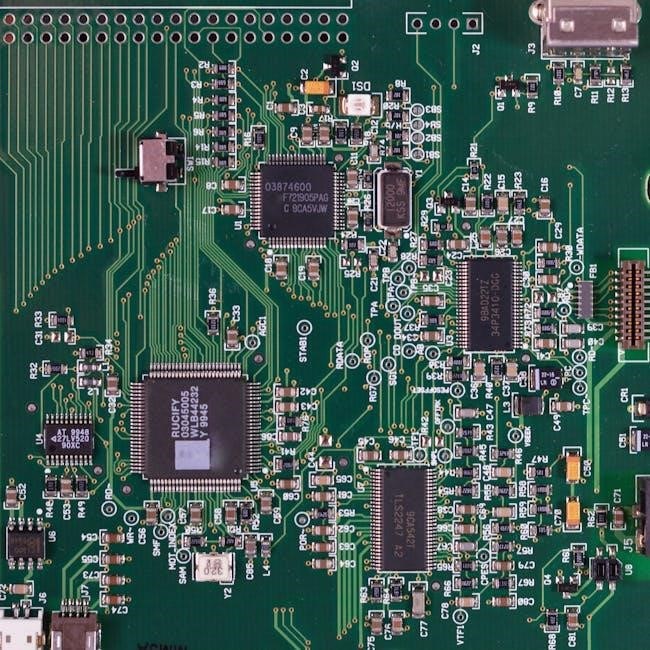
Proactive network monitoring helps identify potential problems before they impact users. Troubleshooting network outages and performance degradation requires a strong understanding of networking principles and diagnostic tools. Maintaining accurate network documentation is also crucial for efficient problem resolution and future planning.
User Account Management
User account management is a fundamental aspect of a system administrator’s duties, focusing on controlling access to systems and data. This encompasses creating, modifying, and deleting user accounts, assigning appropriate permissions, and enforcing password policies to maintain security. Administrators ensure users have the necessary access to perform their jobs while preventing unauthorized access to sensitive information.
A key responsibility is managing user groups and roles, streamlining permission assignments and simplifying administration. Regularly reviewing user accounts and permissions is vital to identify and remove inactive or unnecessary access. System administrators also handle password resets and account unlock requests, providing support to end-users.
Implementing multi-factor authentication (MFA) adds an extra layer of security, requiring users to verify their identity through multiple methods. Maintaining audit logs of user account activity is crucial for tracking access and investigating security incidents. Effective user account management is essential for data protection and compliance.
Security Protocols and Implementation
Security protocols and implementation are paramount responsibilities for system administrators, safeguarding organizational data and systems from threats. This involves establishing and enforcing robust security policies, including firewalls, intrusion detection/prevention systems, and antivirus software. Regularly updating these security measures is crucial to address emerging vulnerabilities.
Administrators implement access controls, limiting user permissions based on the principle of least privilege. They also conduct regular security audits to identify weaknesses and ensure compliance with industry standards. Monitoring system logs for suspicious activity and responding to security incidents promptly are vital tasks.
Implementing encryption for data at rest and in transit protects sensitive information from unauthorized access. Staying informed about the latest security threats and vulnerabilities is essential for proactive defense. System administrators play a key role in educating users about security best practices, fostering a security-conscious culture within the organization.
Data Backup and Recovery Procedures
Data backup and recovery procedures are fundamental to business continuity, and system administrators are central to their design and execution. This encompasses establishing regular, automated backup schedules for critical data, utilizing various methods like full, incremental, and differential backups. Secure offsite storage of backups is essential to protect against physical disasters.
Administrators must rigorously test recovery procedures to ensure data can be restored efficiently and reliably in case of data loss events – whether caused by hardware failure, human error, or malicious attacks. Maintaining detailed documentation of backup and recovery processes is crucial for swift action during emergencies.
Developing a comprehensive disaster recovery plan, outlining steps to restore systems and data, is a key responsibility. Regularly reviewing and updating these procedures, alongside conducting recovery drills, validates their effectiveness. Efficient data backup and recovery minimizes downtime and protects valuable organizational assets.
System Performance Monitoring
System performance monitoring is a core function for system administrators, ensuring optimal operation and proactively identifying potential issues. This involves utilizing various tools to track key metrics like CPU utilization, memory usage, disk I/O, and network bandwidth. Establishing baseline performance levels is crucial for detecting anomalies.
Administrators analyze collected data to pinpoint bottlenecks and resource constraints, enabling informed decisions about hardware upgrades or software optimizations. Real-time monitoring and alerting systems notify administrators of critical thresholds being exceeded, allowing for immediate intervention.
Regularly reviewing system logs provides valuable insights into performance trends and potential problems. Proactive monitoring minimizes downtime, improves user experience, and supports efficient resource allocation. Effective performance monitoring is vital for maintaining a stable and responsive IT infrastructure, directly impacting business productivity.
Patch Management and Updates
Patch management and updates represent a critical security and stability responsibility for system administrators. Regularly applying security patches addresses vulnerabilities exploited by malicious actors, safeguarding systems from threats; This process extends beyond security, encompassing software updates that enhance functionality and resolve bugs.
Administrators must establish a systematic approach to patch deployment, including testing in non-production environments to prevent disruptions. Prioritization is key, focusing on critical vulnerabilities first. Automated patch management tools streamline the process, reducing manual effort and ensuring timely application.
Maintaining accurate records of applied patches is essential for compliance and troubleshooting. Thorough documentation and communication regarding scheduled updates minimize user impact. Effective patch management is a cornerstone of a robust security posture and a stable, reliable IT environment, protecting organizational assets.
Troubleshooting and Problem Solving

Troubleshooting and problem solving are fundamental skills for any system administrator. When systems falter, administrators are the first responders, tasked with diagnosing and resolving issues swiftly and effectively. This often involves a systematic approach, beginning with gathering information – reviewing system logs, error messages, and user reports.
Effective troubleshooting requires a blend of technical expertise, analytical thinking, and patience. Administrators must be able to isolate the root cause of problems, whether they stem from hardware failures, software bugs, network connectivity issues, or user errors. Utilizing diagnostic tools and collaborating with colleagues are often crucial.
Documenting troubleshooting steps and resolutions builds a valuable knowledge base for future incidents. Proactive problem solving, identifying and addressing potential issues before they impact users, is a hallmark of a skilled administrator. This dedication ensures minimal downtime and optimal system performance.
System Documentation
System documentation is a cornerstone of effective system administration, often underestimated yet profoundly important. Comprehensive documentation serves as a vital resource for both current and future administrators, ensuring continuity and minimizing disruptions. This includes detailed records of system configurations, network diagrams, software installations, and security protocols.
Well-maintained documentation facilitates troubleshooting, simplifies onboarding of new team members, and supports disaster recovery efforts. It should encompass not only what is configured, but also why specific choices were made – the rationale behind decisions. Regularly updating documentation is crucial, reflecting changes made to the environment.
Effective documentation isn’t merely a technical exercise; it’s a communication tool. Clear, concise, and accessible documentation empowers the entire IT team and reduces reliance on individual knowledge. Utilizing standardized formats and version control systems further enhances its value and usability.
Automation and Scripting
Automation and scripting are increasingly essential skills for modern system administrators, dramatically improving efficiency and reducing manual errors. Repetitive tasks, such as user account creation, software deployments, and system monitoring, can be automated using scripting languages like PowerShell, Python, or Bash.
This not only frees up administrators to focus on more complex challenges but also ensures consistency and scalability. Automation frameworks and configuration management tools, like Ansible or Puppet, further streamline these processes, allowing for infrastructure-as-code approaches.
Effective scripting requires a strong understanding of system administration principles and a commitment to best practices, including version control and thorough testing; Embracing automation isn’t about replacing administrators; it’s about empowering them to manage increasingly complex environments more effectively and proactively.
Virtualization and Cloud Computing
Virtualization and cloud computing have fundamentally altered the landscape of system administration. Traditionally focused on physical servers, sysadmins now frequently manage virtual machines (VMs) and cloud-based infrastructure. This shift demands expertise in platforms like VMware, Hyper-V, AWS, Azure, and Google Cloud Platform.
Responsibilities include provisioning and managing VMs, configuring virtual networks, and ensuring the security and performance of cloud resources. Understanding cloud-native services, such as serverless computing and containerization (Docker, Kubernetes), is becoming increasingly vital.
The move to the cloud introduces new challenges related to cost optimization, scalability, and disaster recovery. System administrators must adapt their skills to embrace these technologies and leverage their benefits, while maintaining a strong focus on security and compliance within these dynamic environments.
Disaster Recovery Planning
Disaster Recovery Planning (DRP) is a crucial responsibility for system administrators, ensuring business continuity in the face of unforeseen events. This involves developing and maintaining comprehensive plans to restore critical systems and data following disruptions like natural disasters, cyberattacks, or hardware failures.

Sysadmins are tasked with identifying critical systems, defining Recovery Time Objectives (RTOs) and Recovery Point Objectives (RPOs), and implementing appropriate backup and replication strategies. Regular testing of the DRP is essential to validate its effectiveness and identify areas for improvement.
Effective DRP includes offsite data storage, redundant systems, and documented procedures for failover and recovery. Collaboration with other IT teams and business stakeholders is vital to ensure the plan aligns with organizational needs and minimizes downtime. Proactive planning and preparation are key to mitigating the impact of disasters.
Compliance and Security Audits
System administrators play a pivotal role in ensuring organizational compliance with relevant security standards and regulations, such as GDPR, HIPAA, or PCI DSS. This involves implementing and maintaining security controls to protect sensitive data and systems.

A key responsibility is preparing for and participating in security audits, providing evidence of compliance and addressing any identified vulnerabilities. Sysadmins must meticulously document security procedures, access controls, and system configurations to demonstrate adherence to established policies.
Regularly reviewing system logs, conducting vulnerability scans, and implementing security patches are essential components of maintaining a secure environment. Staying informed about evolving threats and compliance requirements is crucial. Proactive security measures and diligent audit preparation minimize risks and safeguard organizational assets, ensuring trust and avoiding penalties.
Vendor Management
System administrators frequently interact with third-party vendors for hardware, software, and cloud services. Effective vendor management is crucial for ensuring reliable IT operations and cost-effectiveness. This involves evaluating vendor proposals, negotiating contracts, and monitoring service level agreements (SLAs).
A key responsibility is managing vendor relationships, addressing support issues, and coordinating upgrades or maintenance activities. Sysadmins must stay informed about vendor product roadmaps and security updates to proactively mitigate risks. They also play a role in assessing vendor security practices to protect organizational data.
Maintaining accurate records of vendor contracts, licenses, and support agreements is essential. Regularly reviewing vendor performance and exploring alternative solutions helps optimize IT spending and ensure the best possible service. Strong vendor management skills contribute to a stable and secure IT infrastructure.

Staying Current with Technology
The IT landscape evolves rapidly, demanding that system administrators commit to continuous learning. Remaining current with emerging technologies – virtualization, cloud computing, cybersecurity threats, and automation tools – is no longer optional, but a core job requirement. This necessitates proactive engagement with industry resources.
Sysadmins should regularly participate in online courses, webinars, and industry conferences to expand their knowledge base. Obtaining relevant certifications demonstrates expertise and commitment to professional development. Following technology blogs, podcasts, and online communities provides valuable insights into new trends and best practices.
Experimenting with new tools and technologies in a lab environment allows administrators to assess their potential benefits before implementation. A forward-thinking approach ensures the IT infrastructure remains modern, secure, and capable of supporting evolving business needs. Continuous learning is vital for long-term success.
Essential Skills for System Administrators
Successful system administrators require a diverse skillset blending technical expertise with soft skills. Foundational knowledge of operating systems (Windows, Linux, macOS), networking principles, and hardware components is paramount. Proficiency in scripting languages – like PowerShell or Python – is increasingly crucial for automation.
Strong troubleshooting and problem-solving abilities are essential for diagnosing and resolving system issues efficiently. Analytical thinking, attention to detail, and a methodical approach are vital. Equally important are communication and interpersonal skills, enabling effective collaboration with colleagues and users.
Understanding security protocols and best practices is non-negotiable, given the escalating cyber threat landscape. Time management, prioritization, and the ability to work independently are also key attributes. A proactive mindset and a commitment to continuous learning complete the skillset.
Tools and Technologies Used by System Administrators
System administrators leverage a broad spectrum of tools and technologies to manage and maintain IT infrastructure. Operating systems like Windows Server, various Linux distributions (Ubuntu, CentOS, Red Hat), and macOS Server form the core. Virtualization platforms – VMware, Hyper-V – are essential for efficient resource utilization.
Networking tools, including Wireshark for packet analysis and Nmap for network discovery, are frequently employed. Configuration management tools like Ansible, Puppet, and Chef automate server provisioning and configuration. Monitoring solutions – Nagios, Zabbix, Prometheus – provide real-time insights into system performance.
Security tools, such as intrusion detection systems (IDS) and security information and event management (SIEM) systems, are critical for threat detection. Backup and recovery solutions, like Veeam and Acronis, ensure data protection. Cloud platforms – AWS, Azure, Google Cloud – are increasingly prevalent, requiring specialized skills.
Future Trends in System Administration
The landscape of system administration is rapidly evolving, driven by cloud computing, automation, and increasing cybersecurity threats. A significant trend is the shift towards Infrastructure as Code (IaC), utilizing tools like Terraform and CloudFormation to manage infrastructure programmatically.
Artificial intelligence (AI) and machine learning (ML) are poised to automate routine tasks, such as anomaly detection and predictive maintenance, freeing up sysadmins for more strategic work. Serverless computing is gaining traction, reducing the need for traditional server management.

Cybersecurity will remain paramount, demanding expertise in threat intelligence and incident response. The rise of edge computing will necessitate managing distributed infrastructure. Skills in containerization (Docker, Kubernetes) and microservices architectures will be highly valued. Continuous learning and adaptation are crucial for future success in this dynamic field.
No Responses